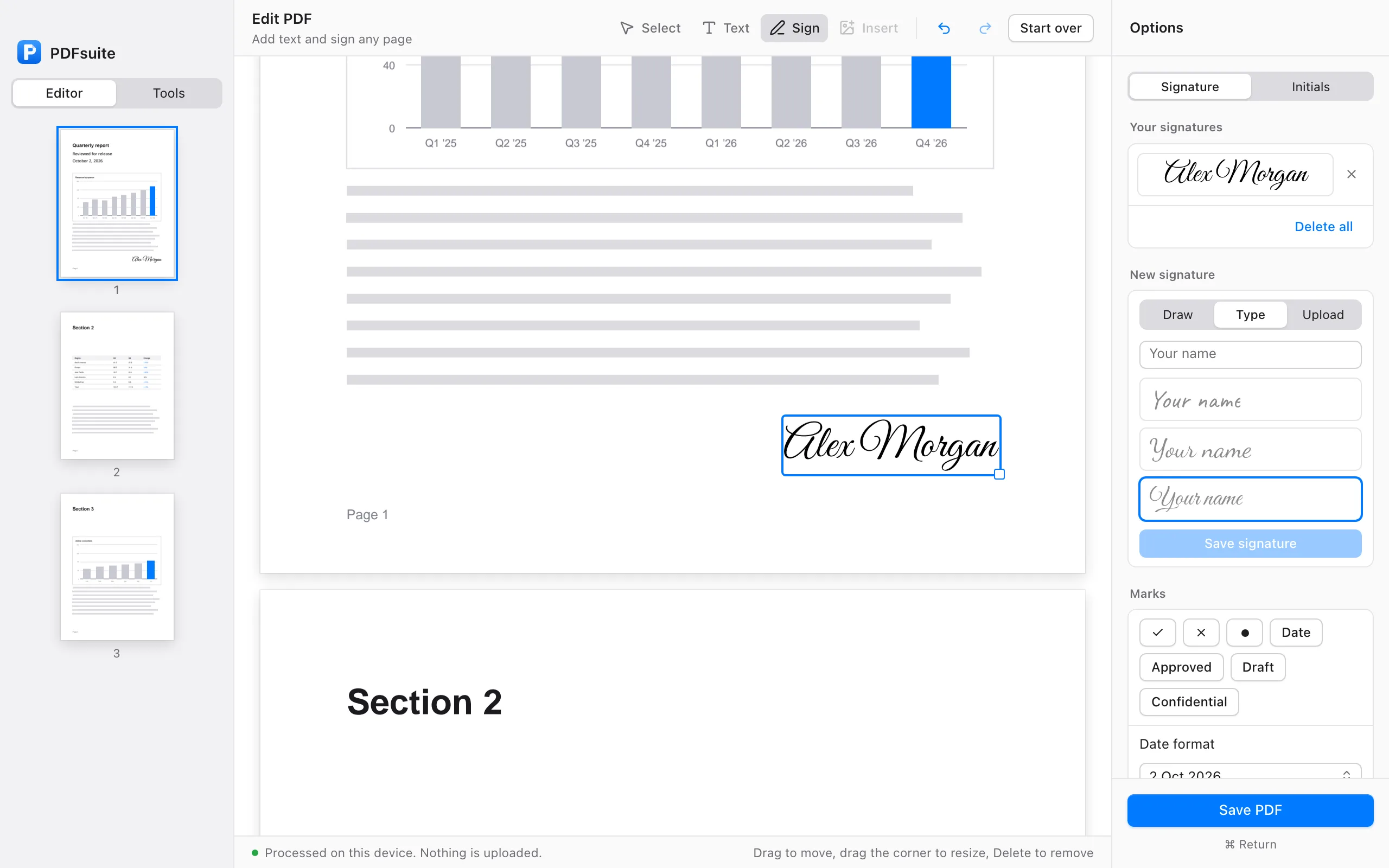
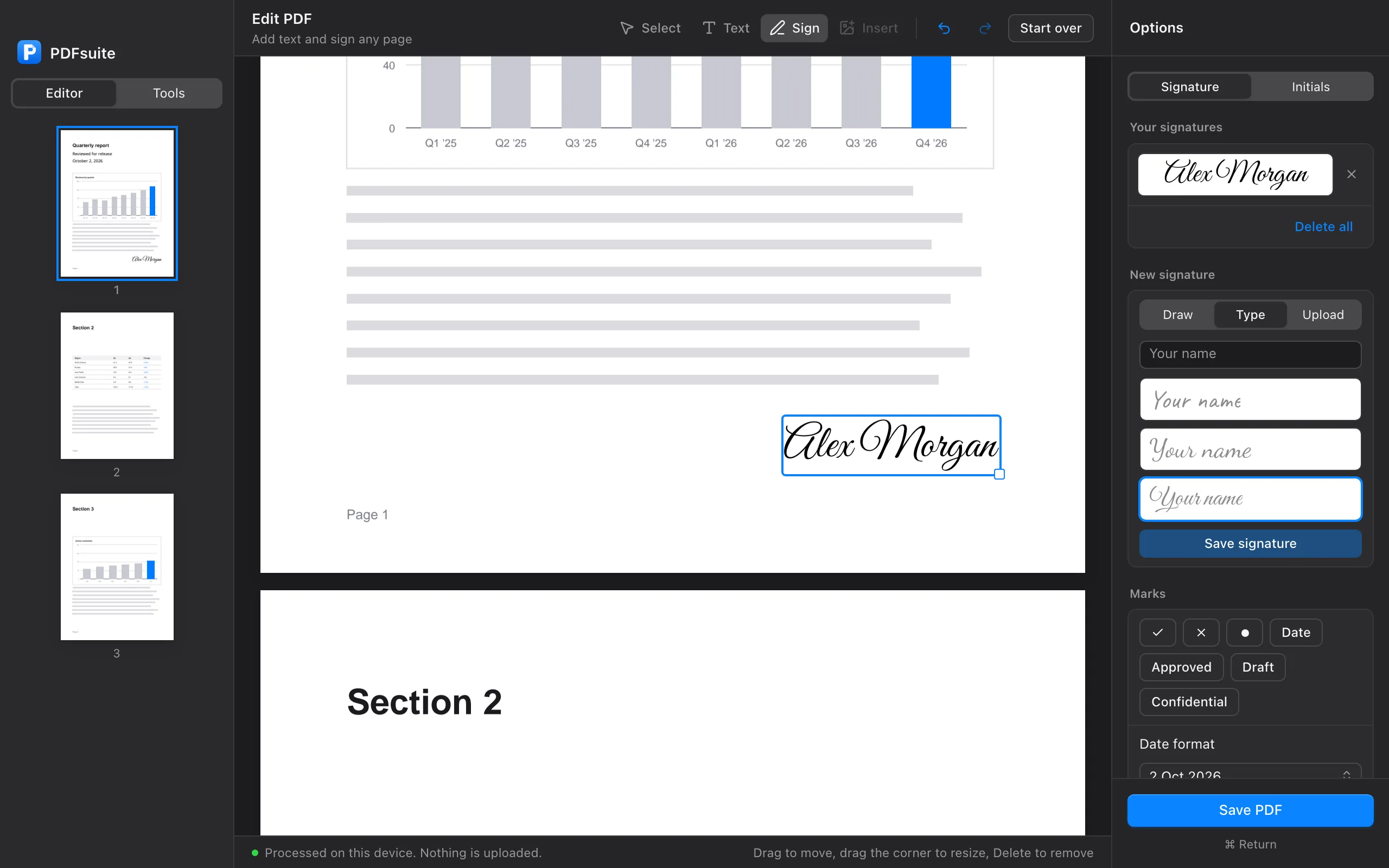
Edit and sign any PDF, on your device.
Add text, move it and restyle it, plus 28 tools for merging, compressing, converting and OCR. Nothing is uploaded.
Free 7-day trial, no card needed.
- No uploads, ever
- Works offline
- Native on Apple silicon
- No card to try
A PDF app built the way it should be.
On your Mac, or in a tab.
A native Mac app, and the same tools at pdfsuite.co. No installer needed to try it.
Your files, your device.
Every tool runs locally. We cannot see your documents because they never reach a server.
Made for working solo.
Fill in a form, shrink a deck, redact an address: the weekly jobs, in the fewest clicks.
The PDF tools you'll open every week.
Shrink a heavy PDF
Drop a PDF, get a lighter one back. Redundant data is stripped and images are recompressed on your device, with quality kept.
Open CompressOCR a scanned lease
Drop a scan and get a searchable, copyable PDF back. Text recognition runs locally, in 14 languages.
Open OCRMerge and split in seconds
Combine dozens of PDFs into one, or tear a single file into chapters. Drag pages to reorder before you save.
Open MergeRedact for real
Black out names, numbers and addresses before you share. The content is removed from the file, not hidden under a box.
Open Redact28 tools, organized by what you're doing.
Click any tool to open it. No onboarding, no upload.
Your files never leave your device.
Not a setting you can toggle. There is no upload step, because there is no server on the other end.
Runs on your device
pdf-lib, pdf.js and Tesseract process files right on your Mac or in your browser. There is no upload step because there is no server on the other end.
No file size limit
Other services cap big files because every byte costs them bandwidth. Ours costs nothing, so there is no limit. Merge 2 GB of scans if you want.
Check it yourself
Open your browser developer tools, go to the Network tab and process a PDF. Nothing is sent, apart from signing in and checking your plan.
The honest side-by-side.
The things that matter when you're working with real client documents.
| Feature | PDFsuite | Adobe Acrobat | iLovePDF | Smallpdf | Sejda |
|---|---|---|---|---|---|
| Files stay on your device | Always | Uploaded to cloud | Uploaded to servers | Uploaded to servers | Uploaded to servers |
| Price | $29 / year | $239 / year | $48 / year | $108 / year | $63 / year |
| Works offline | Yes, Mac app and web | Desktop app only | No | No | No |
| File size limits | None | 100 MB on web | 25 MB free | 5 GB paid only | 50 MB free |
| Free forever tier | No, 7-day trial instead | No free tier | Yes, with watermarks | Yes, with watermarks | Yes, with watermarks |
Prices as of April 2026. Competitor data from public pricing pages.
Made for freelancers who ship.
“I cancelled SmallPDF the day after I found this. It does more and I stopped worrying about where my client contracts were sitting.”
“The OCR alone is worth it. I scan leases, drop them in, get searchable PDFs back in seconds - without sending a client doc to a stranger.”
“Finally, a PDF tool that doesn’t treat me like a churn number. One price, every tool, runs offline. It’s the platonic ideal of a small app.”
One plan. Every tool.
- The editor and all 28 tools, every update
- Mac app and web, up to 3 devices
- No file size limits, no daily caps
- Works offline until your plan ends
- Cancel anytime
No card required.
Need seat-based pricing for your team? Contact us
Questions
Anything else? Email hi@pdfsuite.co.
Is there a Mac app, or is it just a website?
Both. PDFsuite for Mac is a native app for macOS 13 or later, and the same tools run at pdfsuite.co in any modern browser. One account works in both.
Can it really do all 28 things on my device?
Yes. Every tool runs locally with WebAssembly, so a 200-page merge takes about a second and a scanned lease is searchable in under 10 seconds. Nothing is sent to a server to process.
Is there a free trial?
Yes. Sign in with your email and get every tool for 7 days, no card required. After that it is $29/year. No watermarks, no feature limits.
Does it work offline?
Yes. Once you are signed in, the Mac app and the installed web app keep working offline until your plan ends. You only need a connection to sign in or change your plan.
How many devices can I use?
Up to 3 at a time, in any mix of Macs and browsers. Signing in on another device signs out the one you used least recently, and you can sign any device out from Settings.
What if pdfsuite.co goes down?
The Mac app and the installed web app keep working offline. Your files are never stuck on our servers, because they were never on our servers.
Is PDFsuite an Adobe Acrobat alternative?
Yes. PDFsuite covers the 28 most-used Acrobat features (merge, split, compress, redact, OCR, PDF to Word, watermarks, passwords) for $29 per year instead of $239, and your files never leave your device. If you need Acrobat's prepress features (PDF/X, preflight), stick with Acrobat.
Try every tool free for 7 days.
No card needed. Your files never leave your device.